What features did Enscape release in 2025?
There were many new features, updates, and improvements released in Enscape in 2025. They included more exciting AI functionality, access to animations, and integrations with products within the Chaos ecosystem like Veras, Cosmos, and Chaos Cloud.
Here are the Enscape highlights at a glance:
1. Veras AI integration
Veras is an AI-powered visualization tool that integrates with Enscape, making it ideal for fast creative design exploration. It uses generative AI to transform sketches, 2D images, and 3D models into realistic renderings via written prompts.
Veras is a plugin for popular CAD tools such as Revit, SketchUp, Rhino, Vectorworks, or Archicad. It allows you to quickly generate AI renderings and short animation snippets based on your model when in the earliest stages of design, without needing to leave Enscape.
2. Cosmos integration & new assets
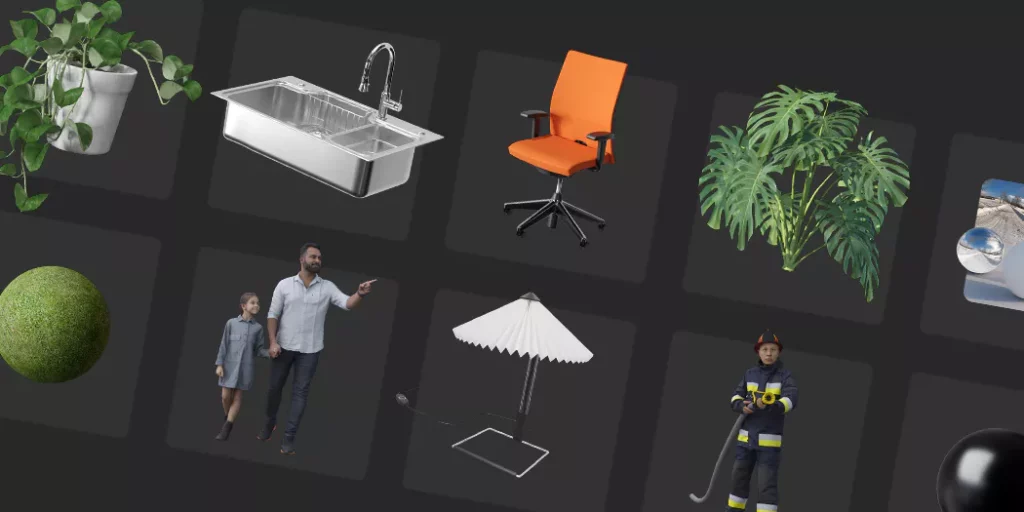
Cosmos is available in Enscape, offering a library of carefully curated 3D assets that are optimized for real-time. If you’re using Enscape 4.11 or later, you’ll notice that Cosmos replaces the Enscape Asset Library as the asset delivery platform. This update provides a growing collection of ready-to-use, low-poly assets, including vegetation, furniture, people, access, and more.
Cosmos users imported over 100 million assets into their projects in 2025. Find out which assets were the most frequently imported since the beginning of the year in this article.
3. AI in Enscape
AI Enhancer with advanced controls
The AI Enhancer gives you fine-grained control over people and vegetation assets. The enhancements are enabled by object masks, which come straight from Enscape, providing you with easy-to-use controls. You can adjust the clothing style of people assets or refine vegetation such as trees, shrubs, and grass to look more realistic
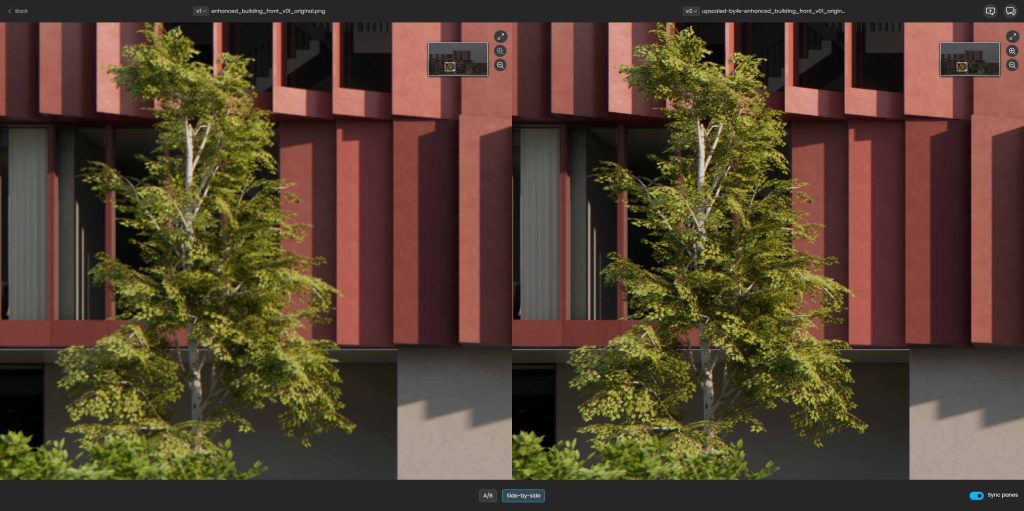
AI Upscaler
Available on Chaos Cloud, the AI Upscaler allows you to elevate renders to crisp, high-resolution masterpieces—up to an impressive 16K. It’s a smart, artist-friendly tool that enables architects and designers to turn low-resolution drafts or renders into presentation-ready visuals.
AI Material Generator
The AI Material Generator transforms any real-world surface photo into ready-to-use PBR material in Cosmos. It allows you to quickly populate environments and interiors without compromising believability and there is no manual editing or complicated workflows involved. This early beta focuses on speed and convenience, with more capabilities planned for future releases.
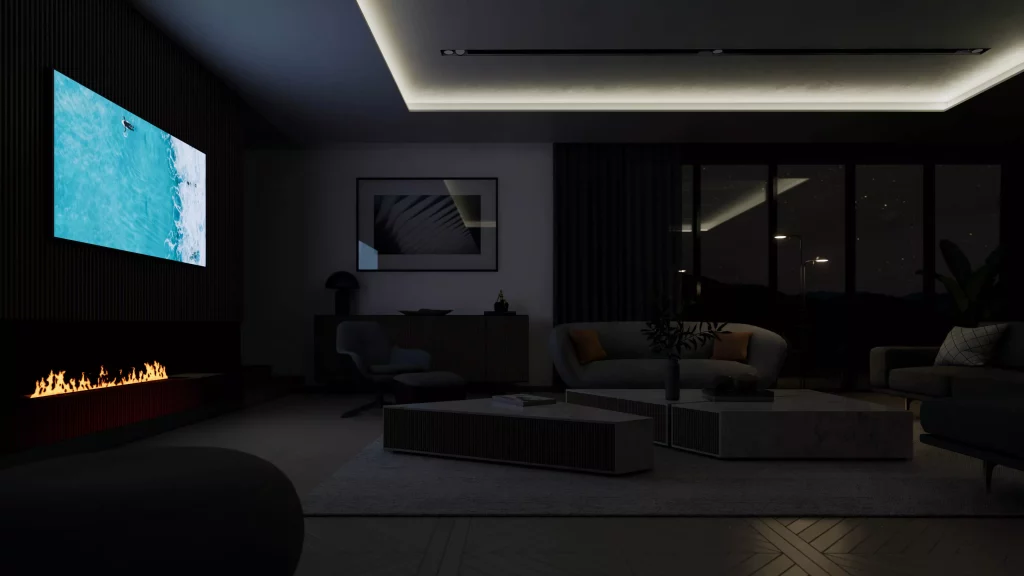
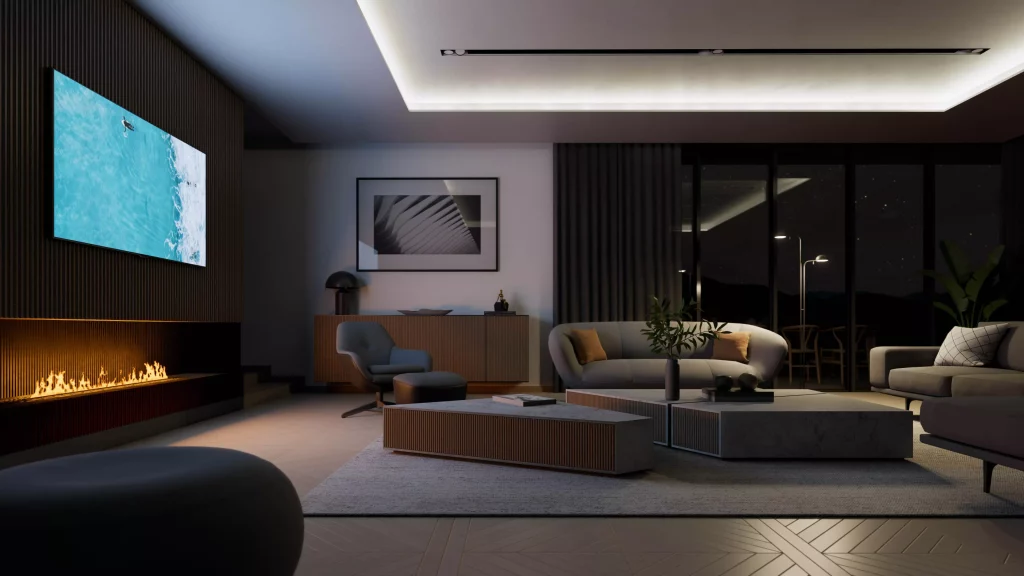
4. Emissive materials as ray-traced light sources
Emissive materials now behave as true light sources when hardware ray tracing is enabled. This ensures more predictable lighting, reduces noise artifacts, and eliminates the need for inefficient modeling workarounds. For example, with LED light strips, you no longer have to place multiple light sources to illuminate a scene.
Enscape Windows users will benefit from:
- Cleaner, more consistent lighting behavior across all emissive materials.
- Enhanced filtering and sampling methods that minimize noise and ensure efficiency in small and large-scale projects.
- Matched behavior of analytical and mesh lights for better realism.
5. Revit Filters and Graphic Overrides
Enscape supports Revit Filters and Graphics Overrides for linked models. This improves visual consistency between Revit and Enscape renderings. Support for background patterns is also available, which is toggled on via Enscape’s General Settings dialog.
In previous Enscape versions, graphical overrides didn’t affect linked models, so any filters applied to elements coming from a consultant’s model wouldn’t show up. With this update, those overrides are now applied to linked geometry as well.
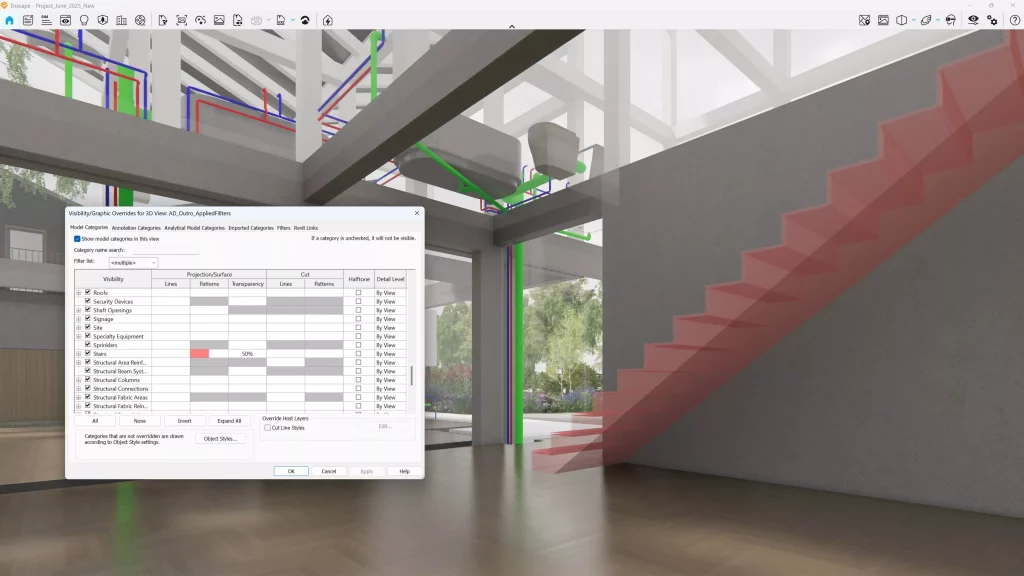
To use the image above as an example, we’ve overridden the piping systems in different colors. Since this model is linked from the mechanical engineer, you can now see the colors correctly represented in Enscape.
Enscape also mirrors Revit’s behavior when multiple overrides are applied to the same element. In this case, we’ve set the stairs to a red color and added 50% transparency, and as you can see, that’s exactly how it’s displayed in Enscape.
6. Chaos Cloud 3D streaming
Enscape introduced 3D scene sharing in beta, allowing you to upload your 3D scene to Chaos Cloud and share it with your team and clients easily. The Chaos Cloud streaming service makes it easy to present and review Enscape designs remotely, without hardware limitations or heavy file transfers.
Once the 3D scenes are uploaded and shared, your clients or collaborators can then navigate and explore the entire model themselves, using the same high-quality graphics that were used to create it. This ensures design intent is communicated clearly and accurately.
7. Selective asset exclusion in White Mode
This feature allows you to exclude specific Enscape assets or asset categories from White Mode, providing more control over what appears in white and what retains its colors and materials.
You can highlight specific elements while keeping the rest of the scene in White Mode, enhancing design presentations by making it easier to focus on critical project details. Additionally, an ‘Invert Appearance’ option allows selected assets to appear in white, while everything else retains its original colors and materials.
8. Enscape Impact updates
Enscape Impact, the Enscape add-on that provides fast energy modeling simulation for the early stages of design, saw a few updates in 2025:
Section tool
A new Section Tool in Enscape Impact allows you to visually isolate individual floors of a building for focused performance review. This makes it easier to analyze results on a room-by-room basis in large or multi-story projects without affecting simulation accuracy or requiring model changes.
Thermal comfort analysis
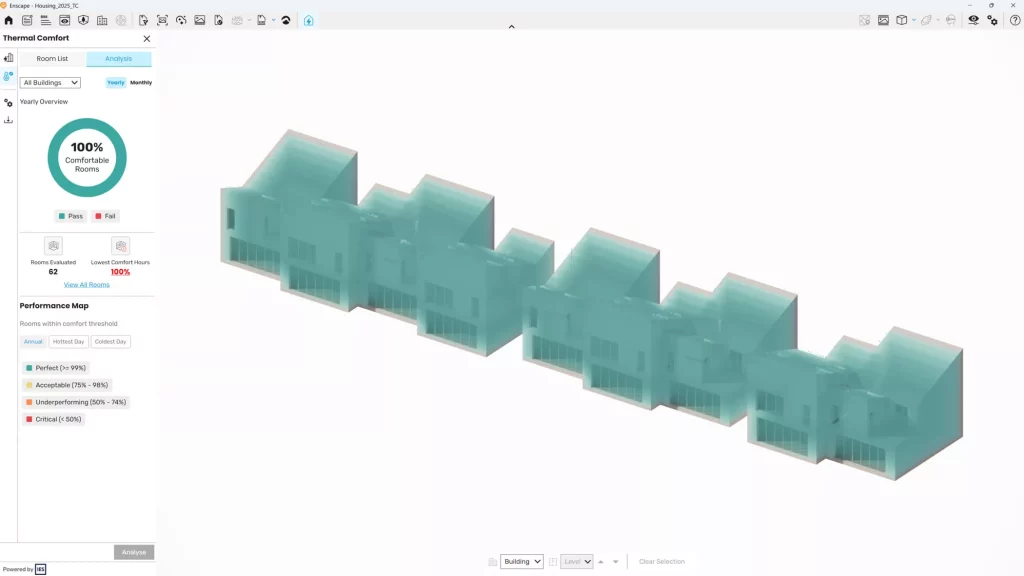
You can explore how comfortable your designs feel for occupants from the early concept stage. Enscape Impact visualizes thermal comfort conditions directly within the model, enabling you to make informed decisions, create sustainable spaces, and avoid costly changes without requiring complex analysis tools.
Exportable performance reports
You can export performance reports directly from Enscape Impact. This makes it easy to share findings with clients or team members, compare design options, and keep a clear record of sustainability decisions—and copying data manually is not needed.
9. Accessible animations
Envision is a tool for quickly creating high-quality animated visualizations, preparing photorealistic visuals, and assembling large and complex scenes. It allows you to export your Enscape scenes into a fully ray-traced environment where you can assemble and create animations.
Envision 1.1 included a revolutionary traffic simulation system and smart animated vehicles. Adding this animation to your scenes shows the flow of traffic and functionality of space, providing clients with better spatial understanding.
Animation has become accessible with Envision. With the groundbreaking traffic simulation engine and smart vehicles, you benefit from real-world behavior in your renders with a few clicks.
10. Save as external model for SketchUp is back
SketchUp users can once again save components as lightweight external models. The save as external model feature converts components into Linked Models, which are lightweight stand-ins inside SketchUp that render at full fidelity in Enscape. This keeps large projects fast and organized while still rendering at high quality.
Historias de Enscape de 2025
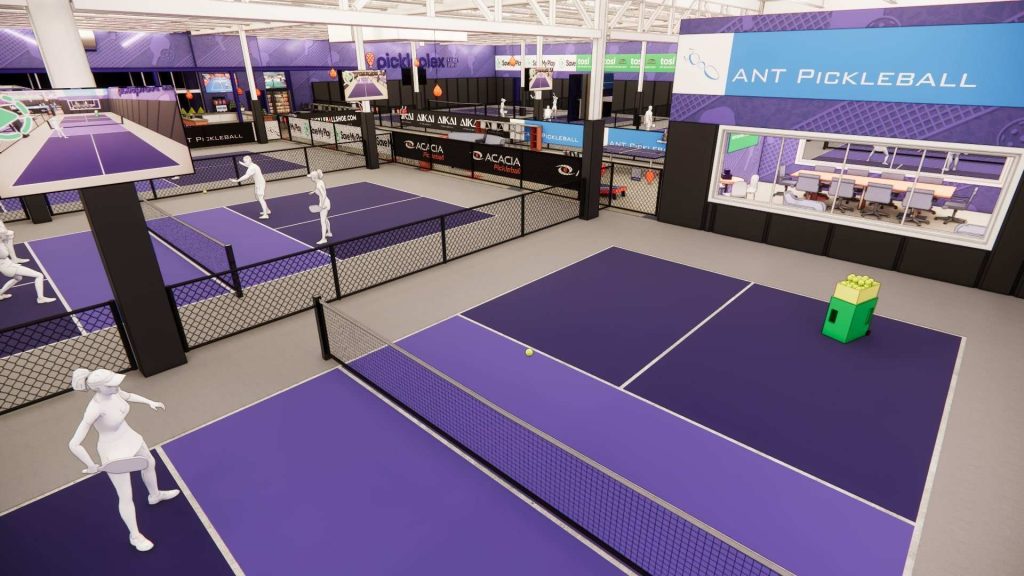
Las nuevas funciones y actualizaciones no fueron lo único destacado de Enscape este año. También hablamos con arquitectos, diseñadores y educadores que compartieron el papel fundamental de Enscape en su proceso de diseño. Desde la creación de canchas para el fenómeno sociodeportivo del pickleball hasta la obtención de un premio estatal de diseño, estas son las historias que compartieron con nosotros.
Diseño de canchas de pickleball
Jim Balding, fundador de The ANT Group, utilizó Enscape y Revit para reducir el tiempo de aprobación del cliente al diseñar canchas de pickleball. Enscape fue una herramienta clave para la toma de decisiones, ya que permitió a las partes interesadas revisar, comprender y modificar los diseños en tiempo real.
See you in 2026
2025 was a great year for Enscape. In addition to the features, Chaos Suites were introduced, which included Enscape as part of architectural design toolkits alongside Veras, Impact, and Envision. Make sure you’re running the latest version of Enscape to get the most out of the new features and updates.